
Accrual vs. deposit view
The Payouts dashboard displays your accounting data and deposits.
The Payouts dashboard displays your accounting data and deposits.
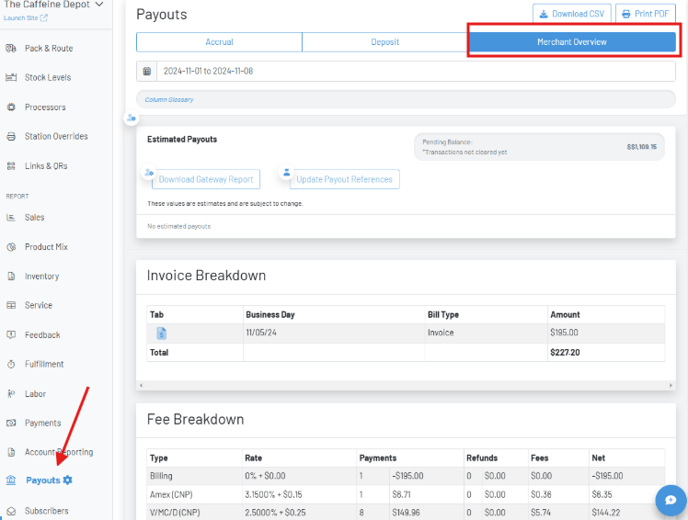
Section titled “The Payouts dashboard displays your accounting data and deposits.”On the Payouts page in the manager dashboard, there are multiple views showing the payout information including accrual and deposit, as well as a merchant overview.
 Accrual View
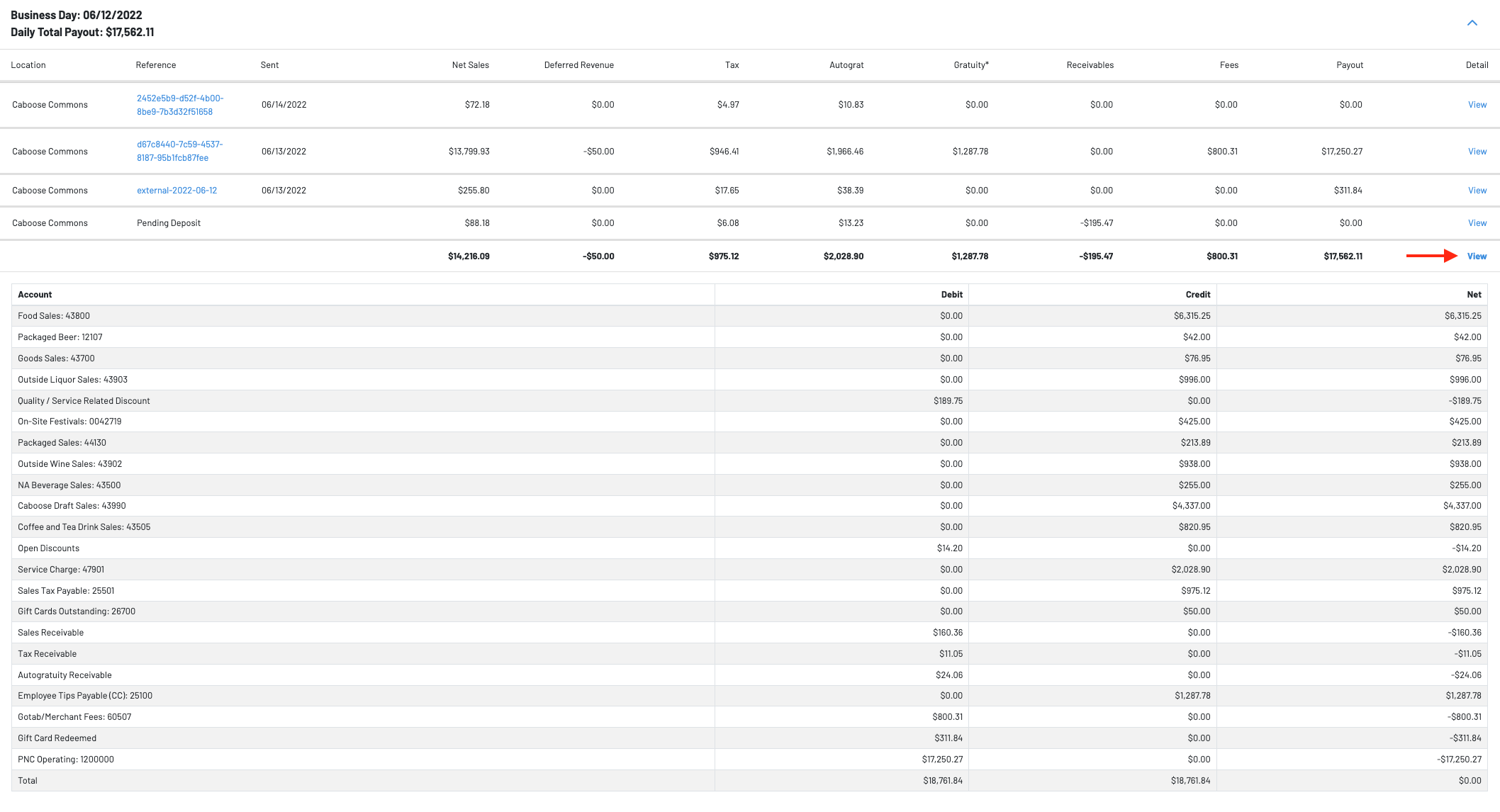
 The payout for a specific business day may be broken out across multiple deposits. To view the deposit breakdown click on the arrow.
  View Detail
To view, the debit/credit/net sales of each account hit the view button under detail.
 Deposit View
Under the deposit view, you can easily view the payout from a specific business day or date range. You can flip between views to balance their books.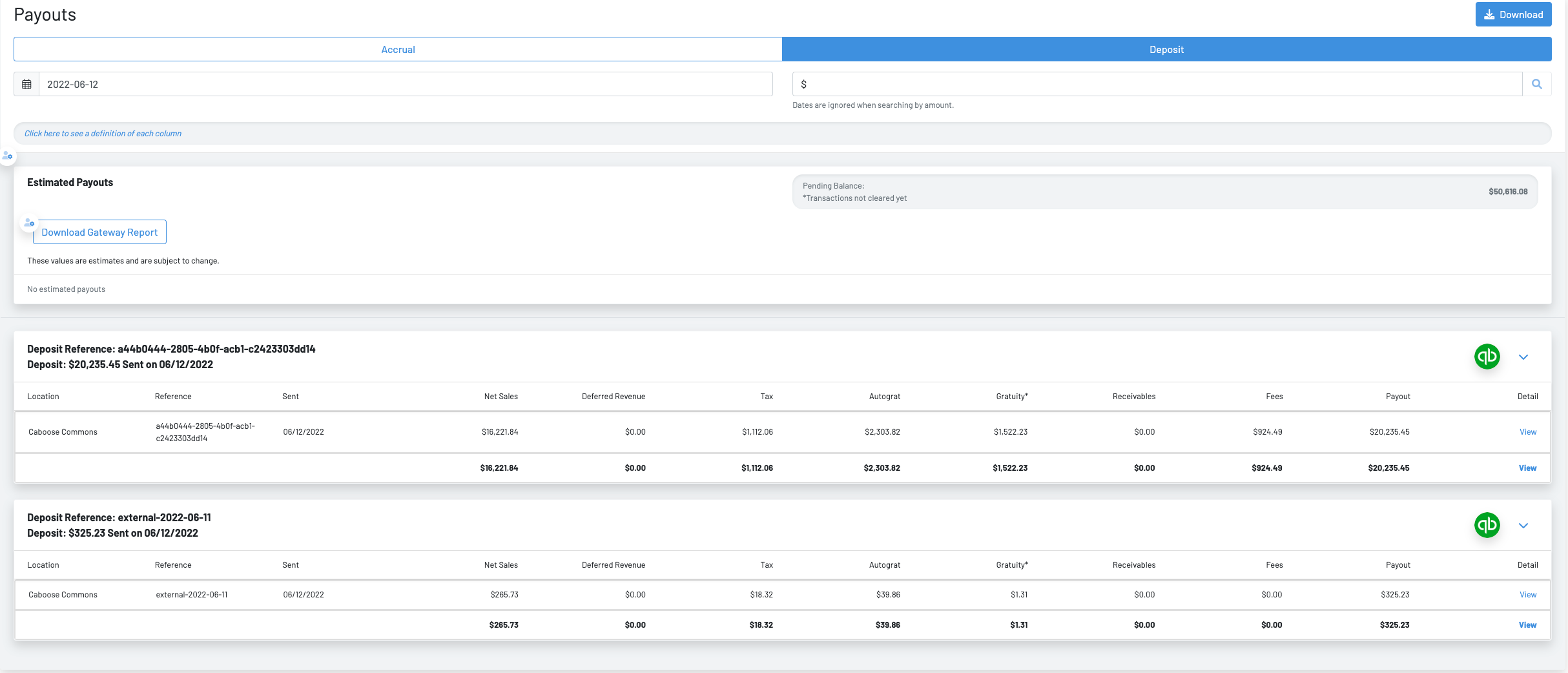
Merchant Overview
The merchant overview provides a breakdown of any invoices from GoTab (platform fees, display fees owed to GoTab by location), credit card fee breakdowns and and an overview of deposits with batch date (date deposit initiated) and the fiscal day the deposit is comprised of.
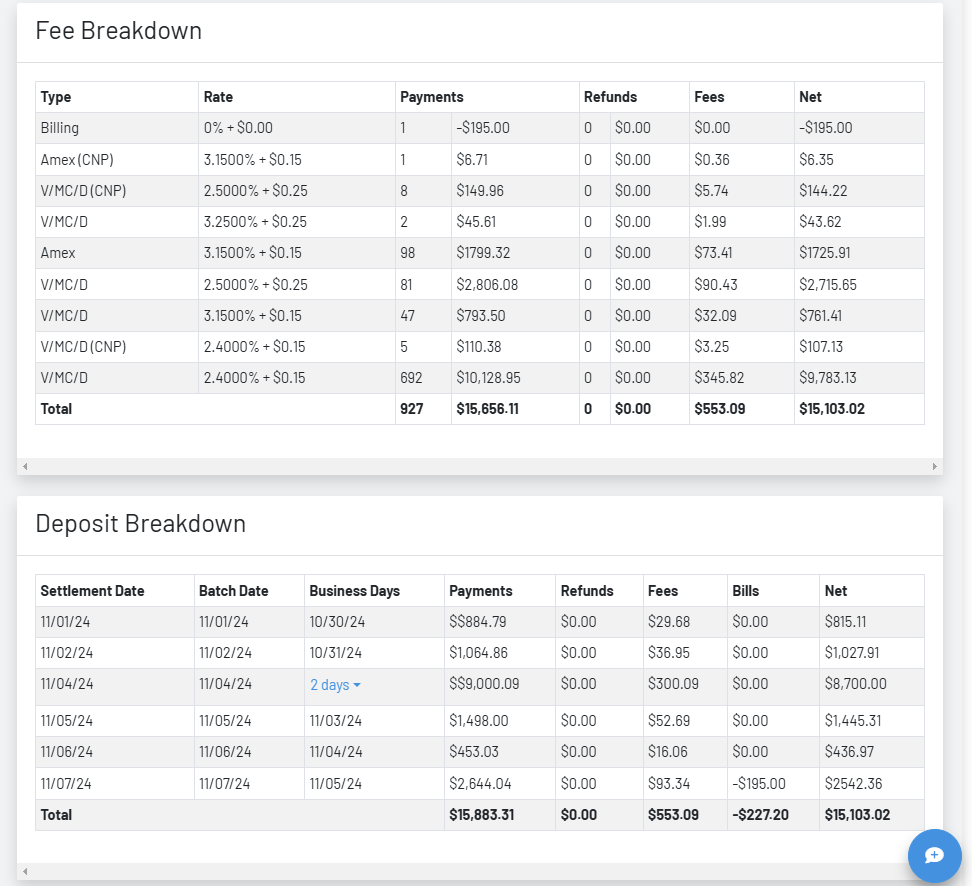
- Settlement/Batch Date: Dates deposit initiated
- Business Days: Business day(s) deposit is in reference to.
- Payments: Gross Credit Card Payments
- Fees: Credit Card Fees
- Bills: Remittances from GoTab for any platform fees, SMS fees, Display Charges etc. owed to GoTab by location.
- Net: Total Deposit Amount (Payments-Refunds-Fees-Bills)