Refund mode
The refund mode feature allows a manager to issue a credit back to a guest, most commonly used for refunding keg deposits.
The refund mode feature allows a manager to issue a credit back to a guest, most commonly used for refunding keg deposits.
Section titled “The refund mode feature allows a manager to issue a credit back to a guest, most commonly used for refunding keg deposits.”Turn on Refund Mode
Navigate to Locating Settings—Displays Settings—POS Refund Mode
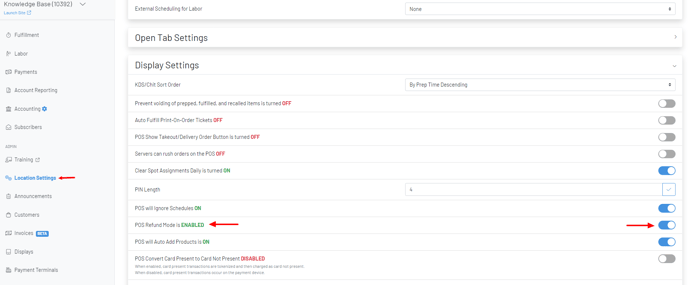
Refund Mode on POS
With the feature now turned on at your location, any user with themanage:refunds permission will have access to refund mode. When in refund mode, the process to enter product(s) and process an amount back to a credit card is essentially the same as entering an order and processing payment normally.
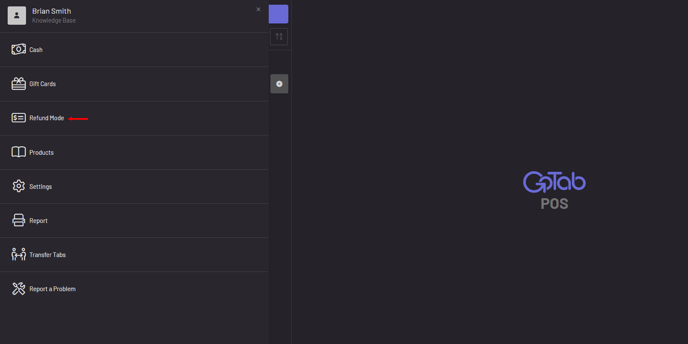
- Click More
- Click Refund Mode (noted in red at the top of the tab)
- Add product(s) to be refunded
- Click Issue Refund
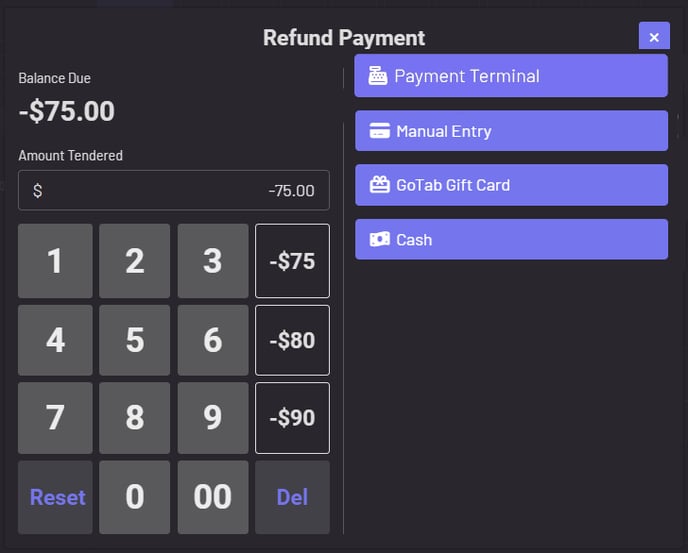
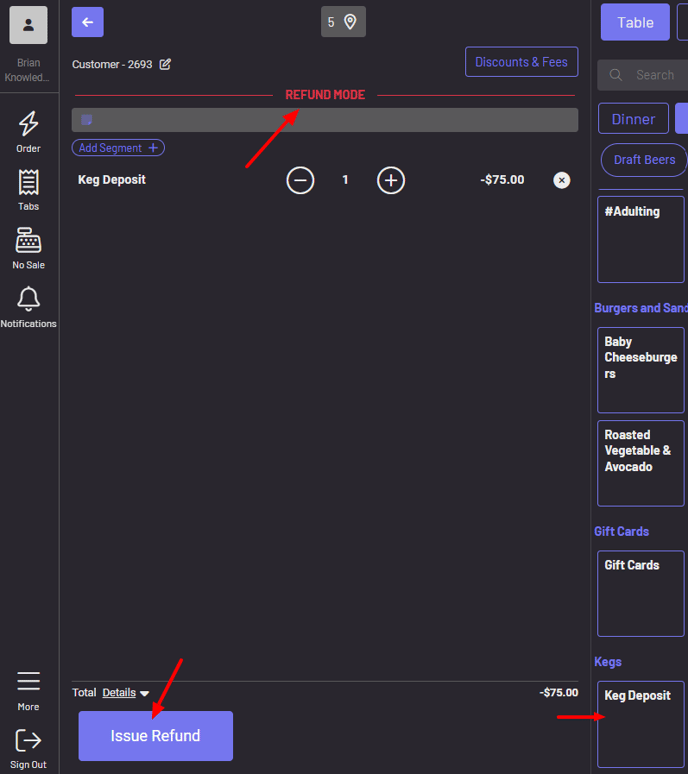 The payment flow from here is the same as normal. You’re prompted to choose the refund payment method.
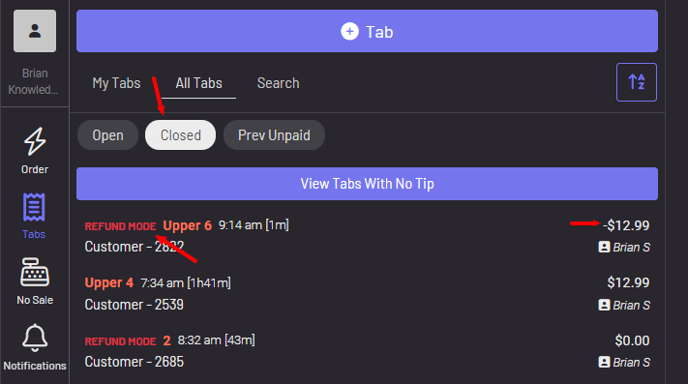
 Once you’ve issued payment back, refund mode tabs are noted in red under your closed tabs.