How to Add and Remove Customers from Discount Groups
Learn how to add and remove customers from unrestricted and restricted discount segments in GoTab.
Unrestricted Segment
Any user who scans the segment QR or is sent the segment link can join
- To add users:
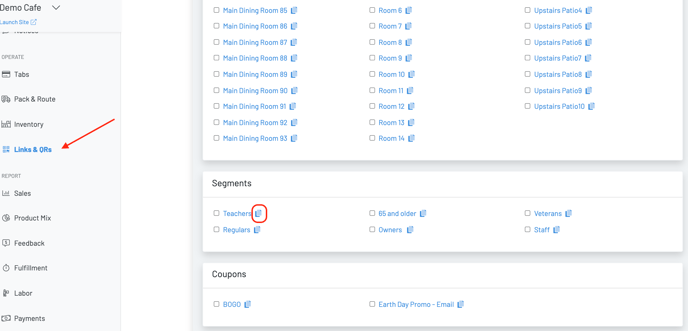
Click on Links & QRs and scroll to the bottom 2. Either print the QR for customers to scan or click the blue copy button next to the segment and embed the link in an email or send via sms
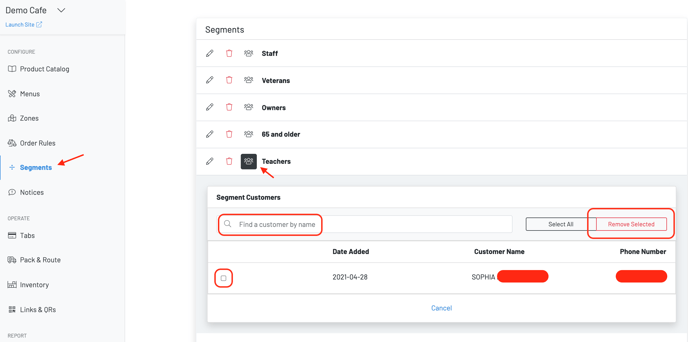
 To remove users, follow the steps below
 Restricted Segment
Add a layer of security - only users whose numbers have been associated with the segment will be able to join the group
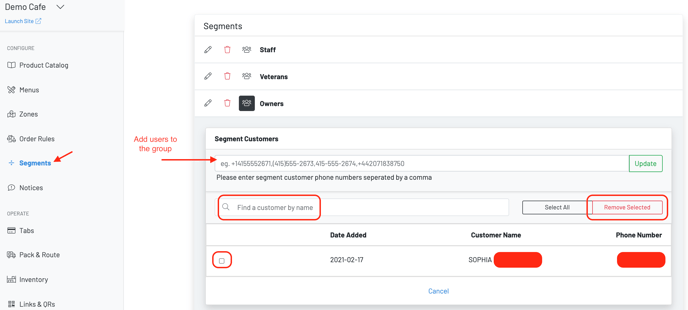
- To add users to the group, enter their phone number
- To remove users, follow the steps below