
How to set up Google Redirect
Our Google Redirect integration allows the ‘Order Online’ button within Google to redirect your guests directly to ordering through GoTab.
Our Google Redirect integration allows the ‘Order Online’ button within Google to redirect your guests directly to ordering through GoTab.
Section titled “Our Google Redirect integration allows the ‘Order Online’ button within Google to redirect your guests directly to ordering through GoTab.”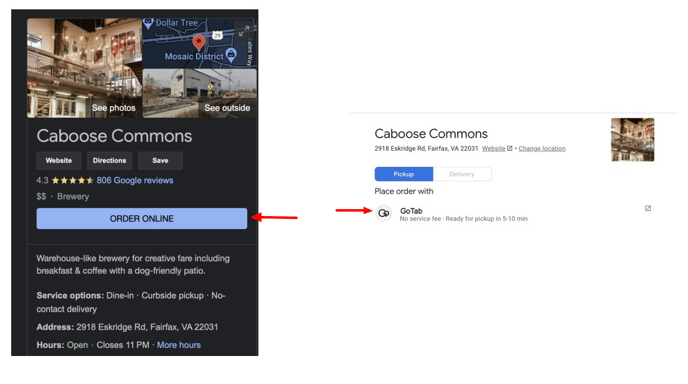
- Contact your customer success manager to turn on Google Redirect.
- Ensure you have an active Takeout and/or Delivery spot with an active menu.
- Verify your location’s support phone number and address match your Google profile.
This info is found in Location Settings—Edit—Edit Location in the manager dashboard.
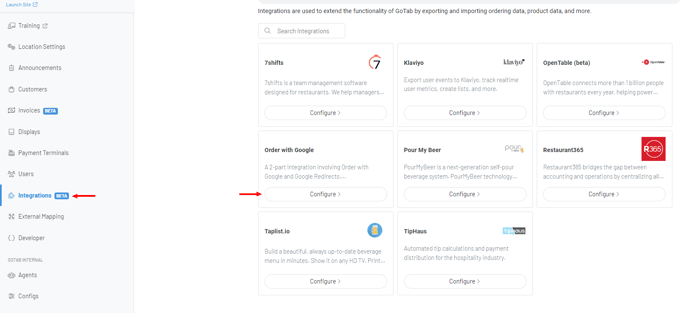
- Navigate to the Integrations Page and Configure “Order With Google”.
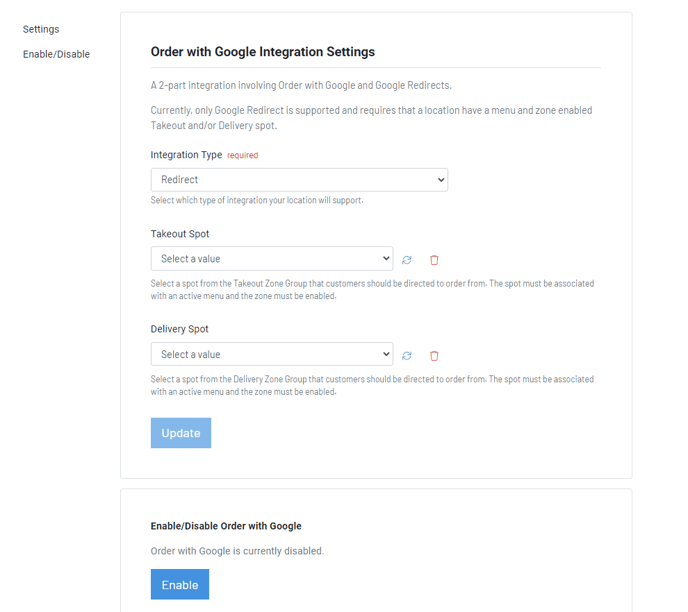
- Set the integration type to Redirect.
- Set your Takeout Spot, Delivery Spot or both.
- Click “Update” and “Enable”.
Click hereto learn how to create a Takeout Zone.
Click hereto learn more about creating Menus.