
How do I Create a Floor Map?
Create a floor map by navigating to your maps tab, pressing +add floor map, naming it, then dragging spots to recreate your floor plan.
To create a new map, navigate to your maps tab and press +add floor map.
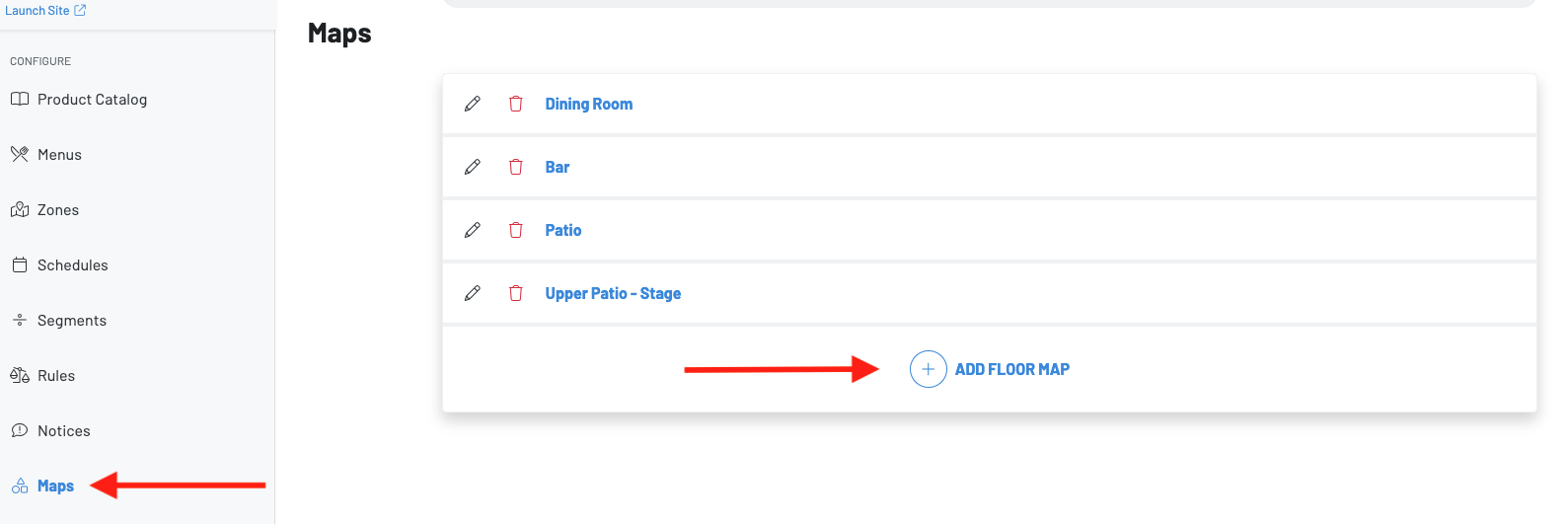 Then, create a name for you map. Typically this would be the name of the zone or room of these spots.
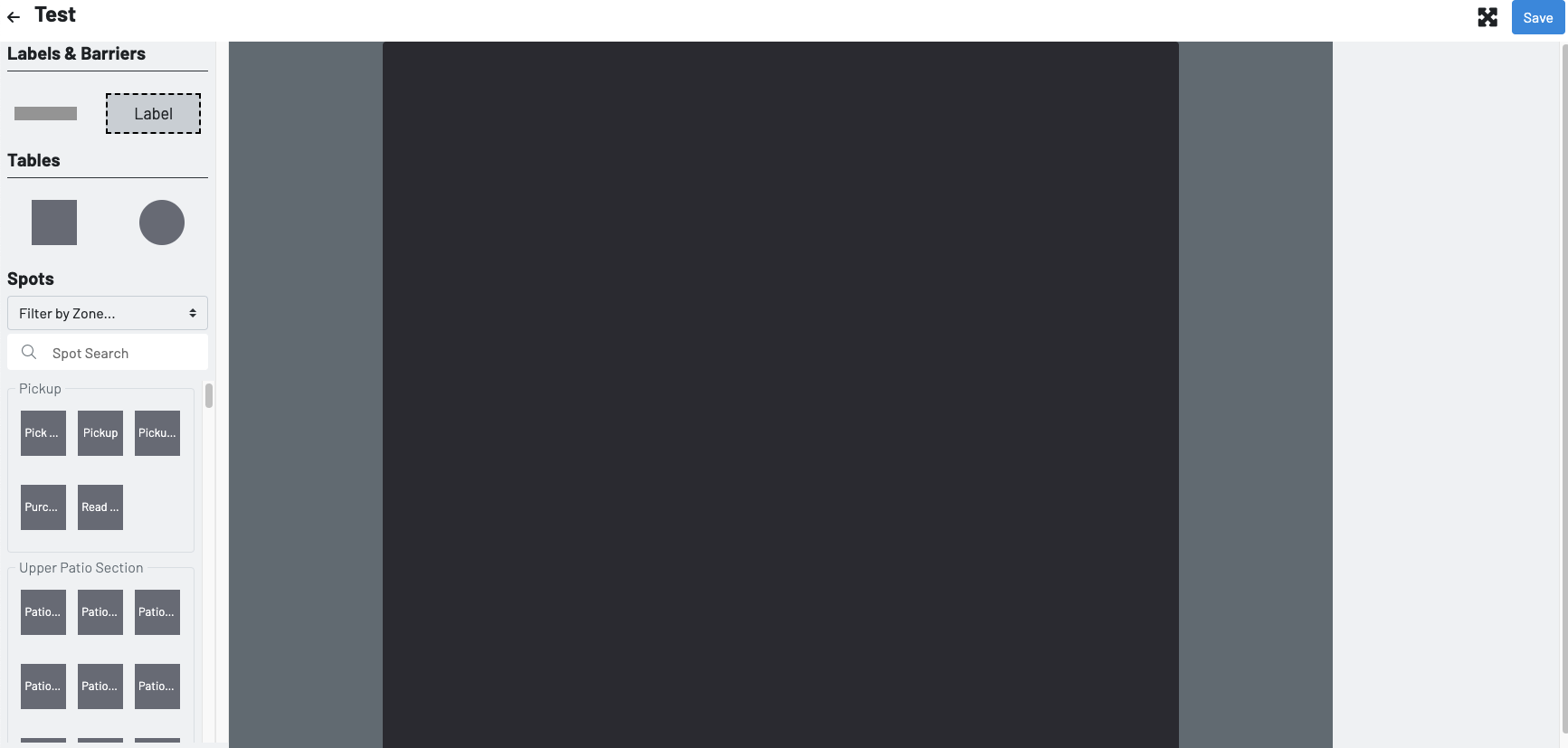
Once you have created a name click into the map you just created. Now you can drag and place the spots created in zones to recreate their existing floor plan.
 Once a map is created, it will now show on the POS as an additional option to find the spots when initiating a tab.