
Variants: How do I set them up?
If you wish to use variants and do not see them as an option, please reach out to your account manager or chat support to turn on variants at your location. Var
If you wish to use variants and do not see them as an option, please reach out to your account manager or chat support to turn on variants at your location.
How to set up Variants
Section titled “How to set up Variants”Variants are configurable in the same section as modifiers, under a “Base/Parent Product.”
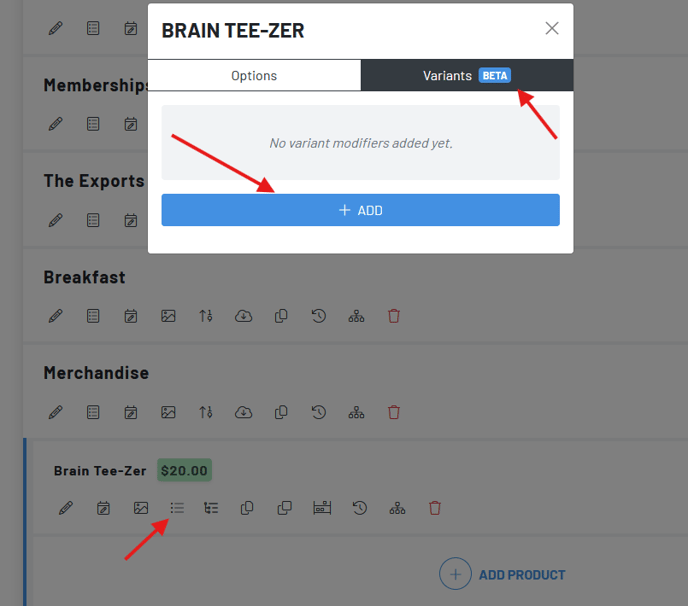
To create a variant choose your product and click “Update Product Options.”
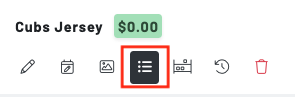 Then, toggle over to Variantsand click** Add**
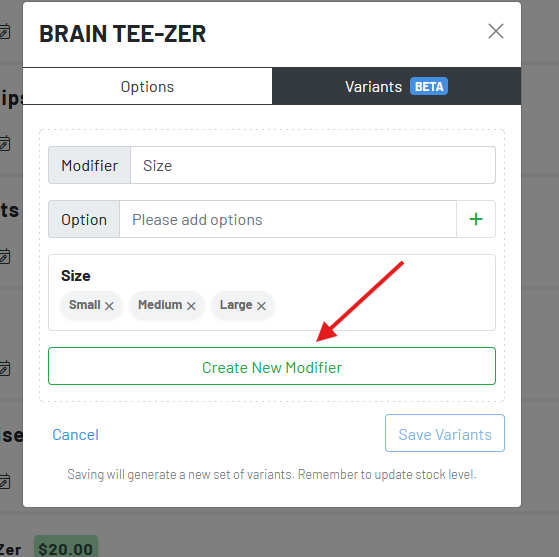
Enter your variant modifier name, which here would be size.
Then add the size options, which here are small, medium and large
ClickCreate New Modifier
*
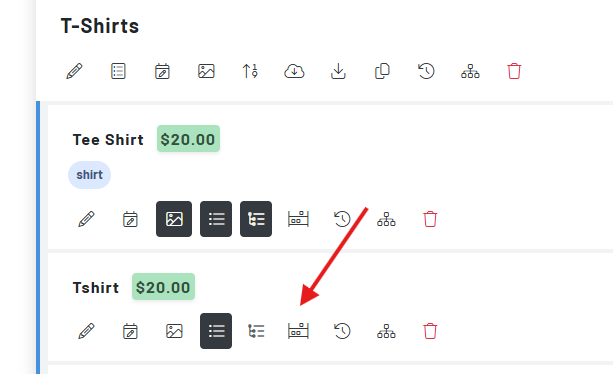
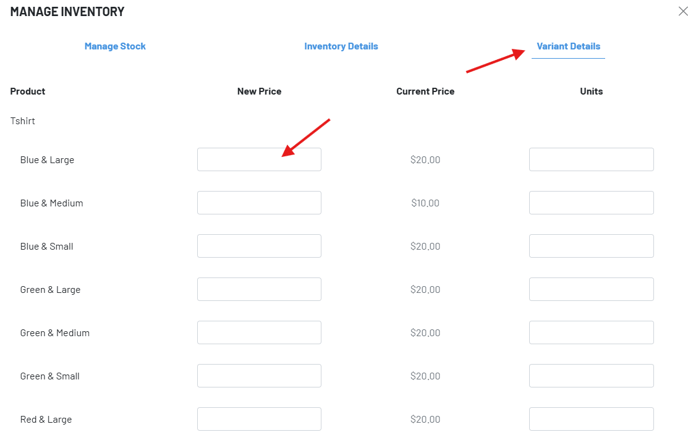
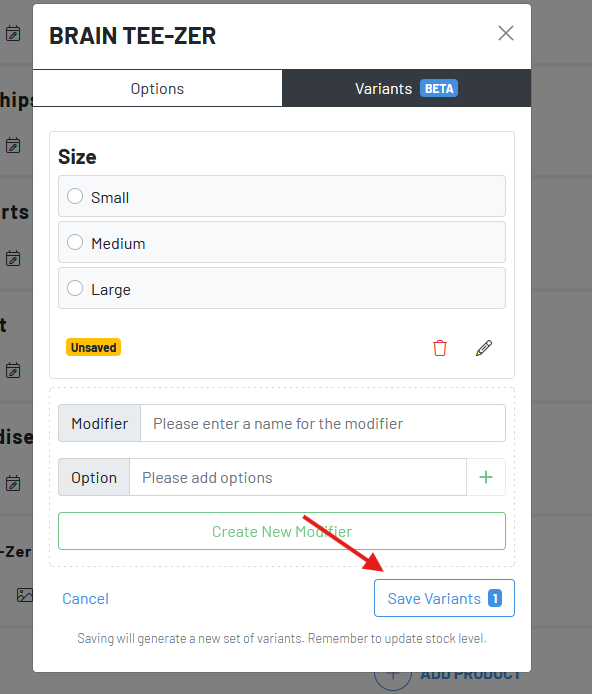 Once we’ve saved our variants, then we click the Control Stock Levels icon to adjust the pricing for each variant.
 Variants on guest QR Ordering:
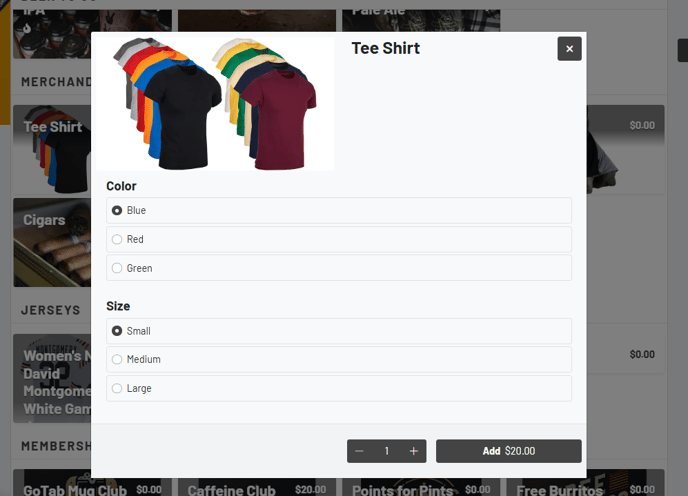 As you see here, T-shirt is the “Base Product” and any combination of the color/sizes are the variants.
Variant Beverage and Ingredients
Section titled “Variant Beverage and Ingredients”Variants can also be assigned units of measurement.
Once the base product has been depleted, you’ll be able to run a product mix to get the total number of ounces sold of the base product, using variants!
To learn what Variants are, click here.