Generate a packing slip
Learn how to select takeout or delivery orders and generate packing slips from the Pack & Route dashboard.
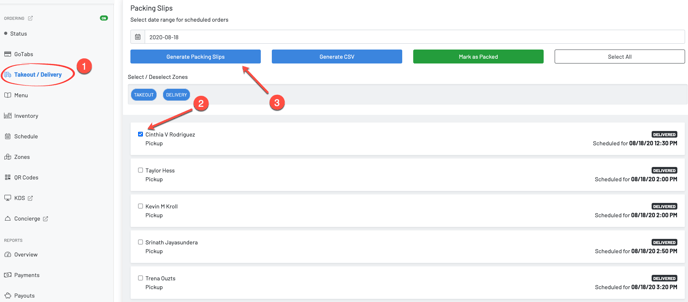
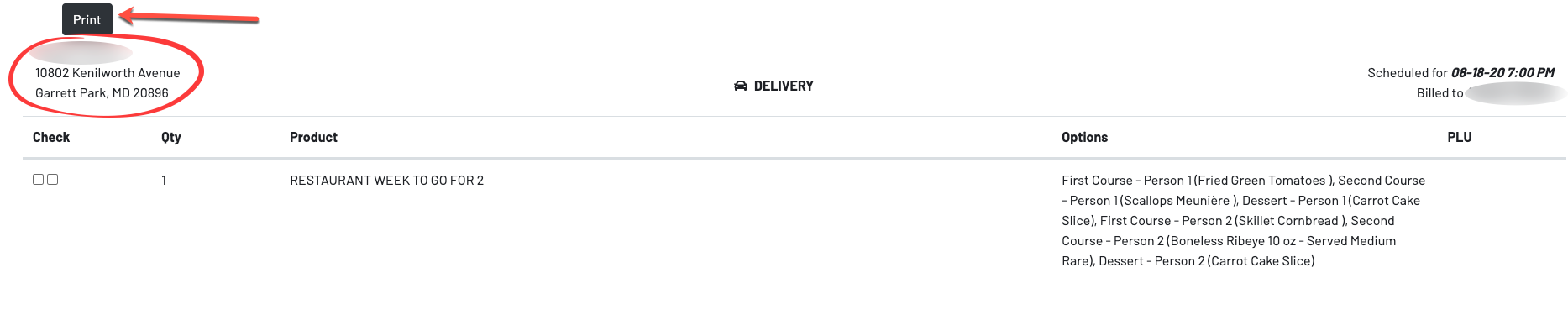
Step 1: Click Takeout / DeliveryStep 2: Check the box(s) of the order you want to printStep 3: Click Generate Packing SlipsStep 4: Print
Section titled “Step 1: Click Takeout / DeliveryStep 2: Check the box(s) of the order you want to printStep 3: Click Generate Packing SlipsStep 4: Print”