
Easy Tab: how to set up
Learn how to configure Easy Tab on your POS, including prompting for Easy Tab on credit card authorization and managing the Keep Easy Tab Spot setting.
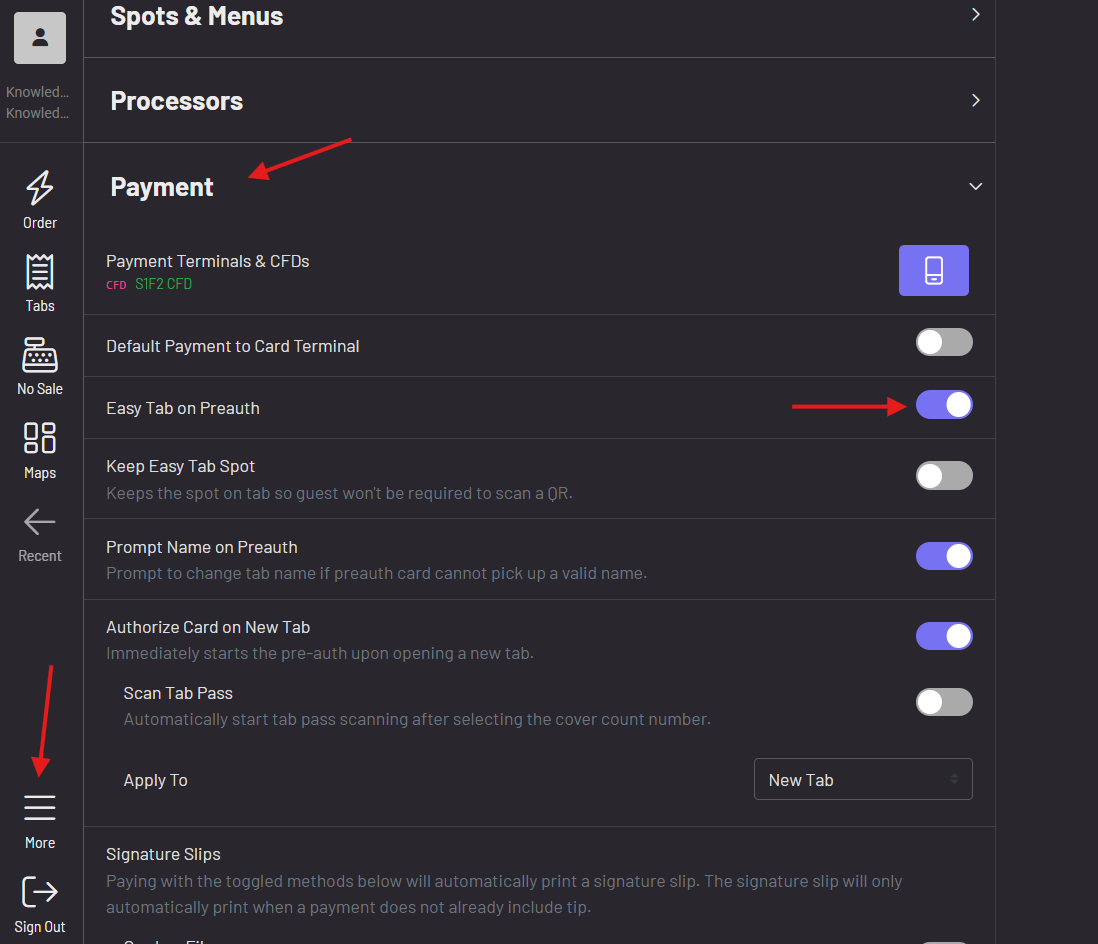
- In your POS, navigate to More—Settings—Payment
- Toggle on “Easy Tab on Preauth” to prompt for an Easy Tab when authorizing a credit card.
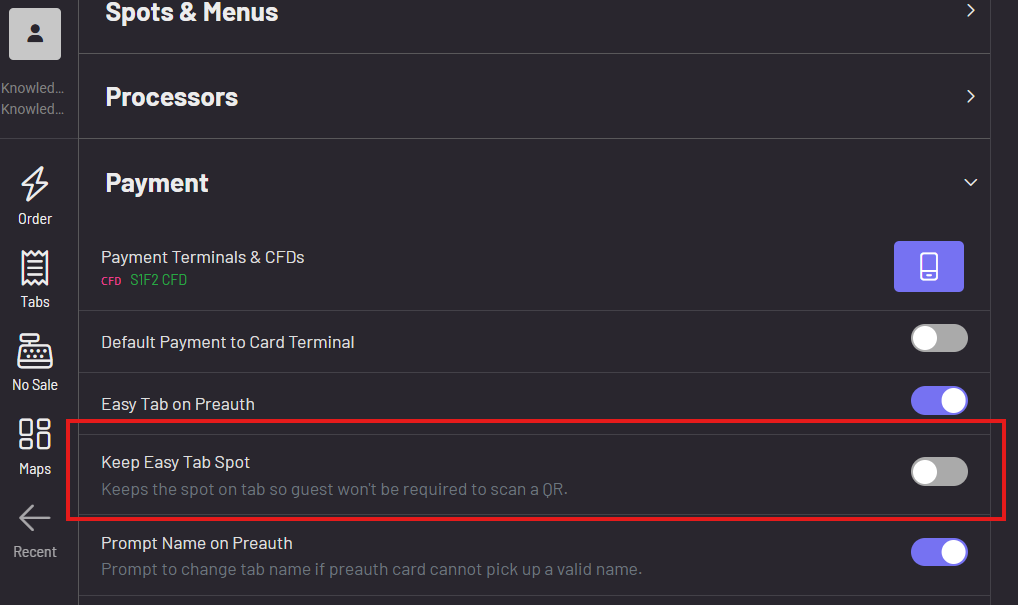
 This setting keeps the spot on the tab so guests won’t be required to scan a QR again when adding more to their order. They will be immediately dropped back into the menus. This is best used in a situation where a guest will be remaining at the same spot, i.e. they’re sitting at Table 1 and won’t be moving.
In a setup where a guest won’t necessarily be at the same initial spot chosen (perhaps a bartender chose a quick spot at the bar but the guest will be taking their drink to an outside patio area) you would not want to keep “Keep Easy Tab Spot” toggled on. By toggling this off, the guest would then be required to scan a QR before adding to their order. By requiring the guest to scan, you’ll now know where the guest is located.
 To learn more about what Easy Tab can do for you, click here!