
How to resend a digital gift card
Resend a digital gift card claim message to a guest from the Processors page or Balance Accounts page in the GoTab Manager Dashboard.
Sometimes guests might not have received their email or text message to claim a gift card purchase, or maybe they did and just missed it. We have added the ability for you to resend a digital gift card claim message to a guest. It will go to phone number or email address that was entered upon purchase or issuance of gift card by your location.
You can do this from your Processors Page in the GoTab Manager Dashboard.
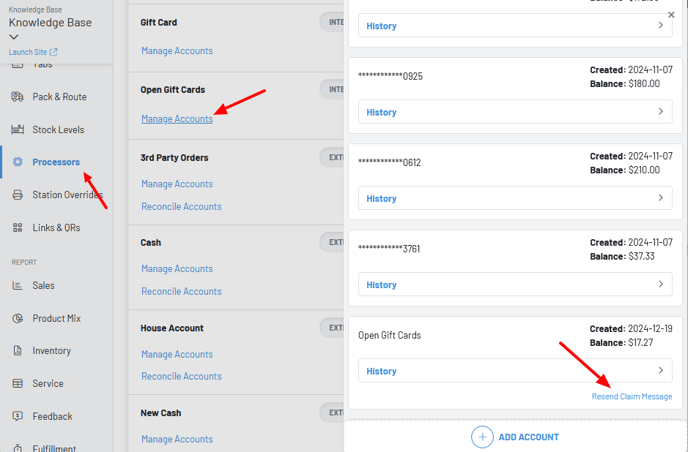 As the above screenshot shows, you would then navigate to the gift card processor, scroll to the unclaimed card in question and click Resend Claim Message.
You can also do this from the Balance Accounts Page.
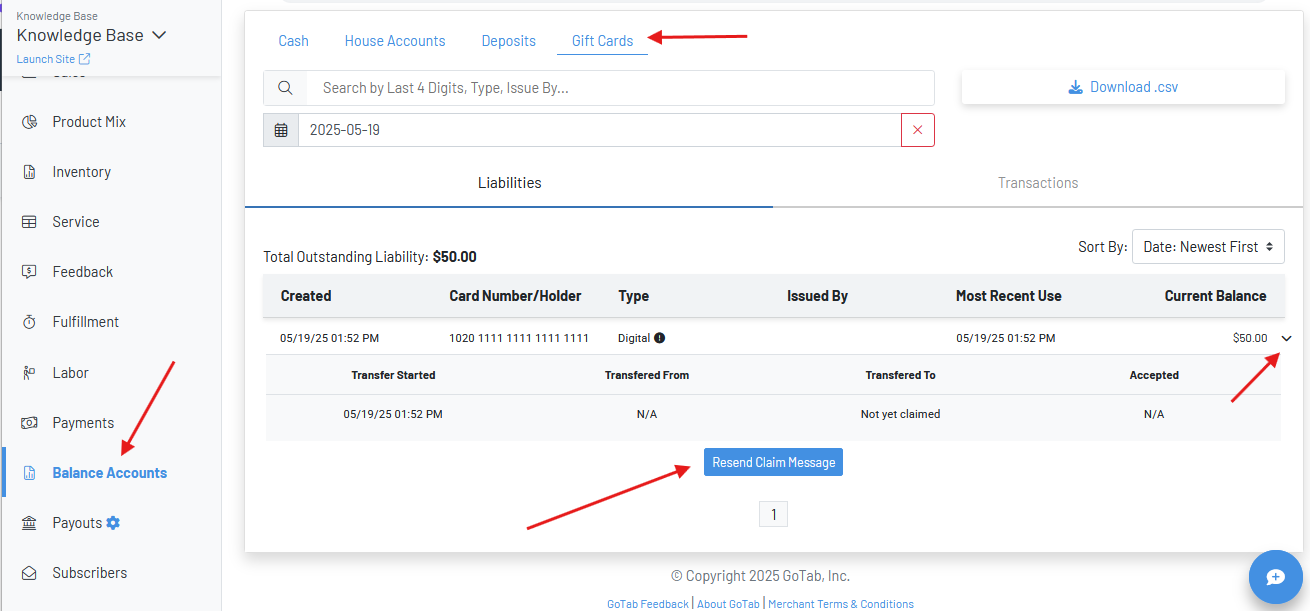 On the account reporting page click over to Gift Cards—Select the purchase/issue date of the digital gift card—click the down arrow on the right—Click Resend Claim Message.