How To Change Tip Suggestion Calculation
In this article we'll show the two tip percentage calculations you can use to calculate tip percentages on a tab.
In this article we’ll show the two tip percentage calculations you can use to calculate tip percentages on a tab.
Section titled “In this article we’ll show the two tip percentage calculations you can use to calculate tip percentages on a tab.”All tip defaults are set at the Zone level of the GoTab Manager Dashboard. These are the tips guests will see at checkout in QR/online orders, as well as on a customer facing display paired to a POS.
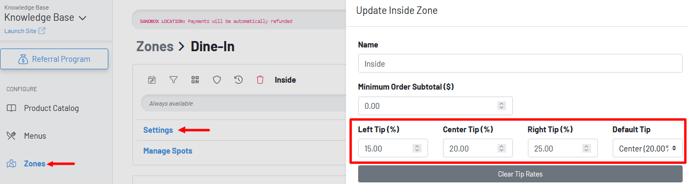 Within these zone settings, you can adjust whether to calculate the tip percentage off of the payment amount remaining due or on the untipped subtotal amount.
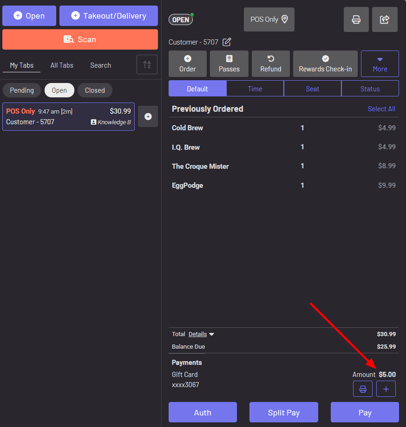
In the below example, we’ve made a $5 partial payment on a tab with a gift card.
 Now we’re going to set our subtotal tip suggestions to no.
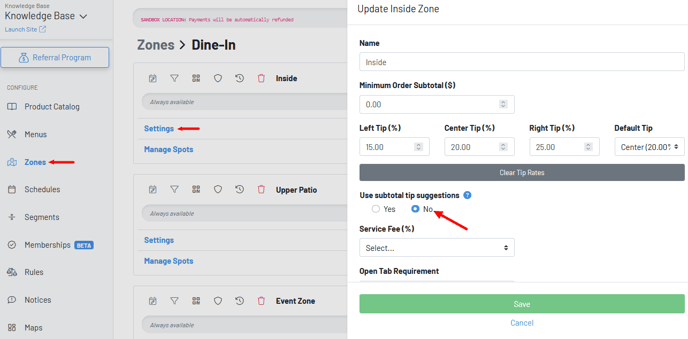 When we do this, note our 20% tip suggestion is $4.86. This is based on the reduced amount from the $5 gift card payment, less the tax on the $5 payment.
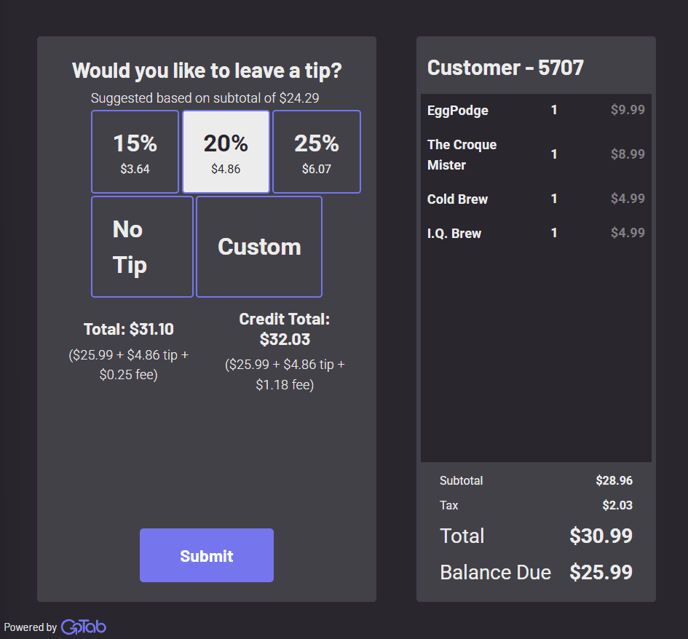 Now we’ll set our tip suggestion to YES based on the untipped subtotal.
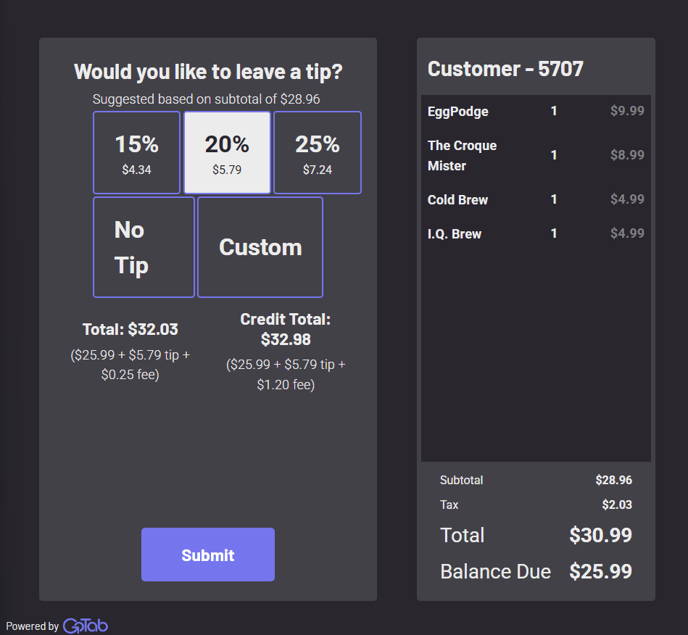
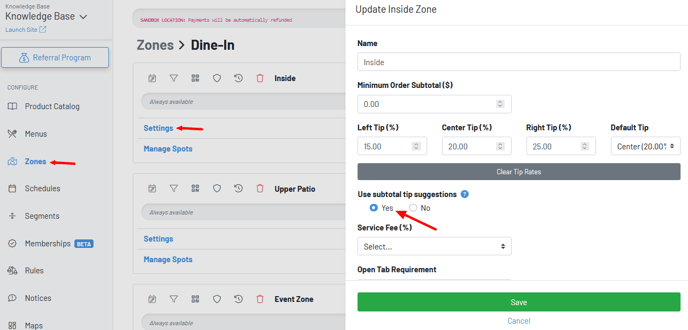 Now we see our 20% tip suggestion is $5.79. Here, we don’t take the $5 partial gift card payment into account and take 20% off of the subtotal before any partial payment occurred.