How do I Set Up a Cash Processor?
Note: Generally, setting up a Cash Processor only occurs once during location setup. Once a Cash Processor it configured the first time, you do not have to set
Creating a Cash Processor:
Section titled “Creating a Cash Processor:”Step 1: Configure a cash account on the Manager Dashboard by navigating to the Processors Page and press +add processor
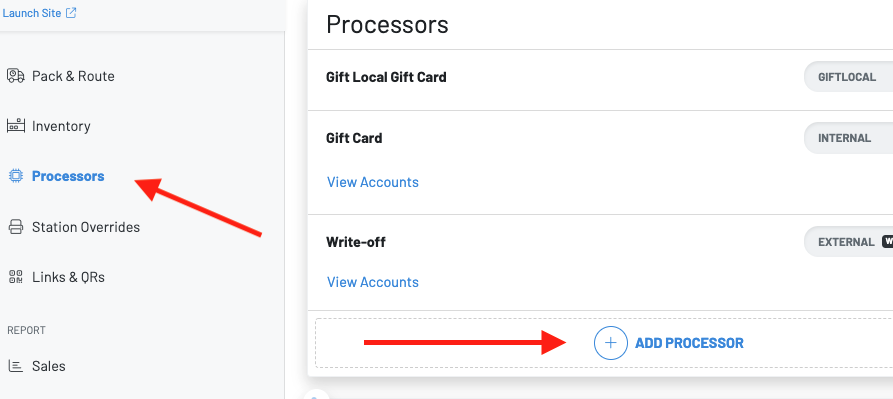
Step 2: You will then choose a type of processor, and create a name.
In this case, choose cash.
**  **
**
Once you have set this up, you can now add cash accounts on the Manager Dash or POS.
Adding a Cash Account via your Manager Dashboard:
Section titled “Adding a Cash Account via your Manager Dashboard:”Press view accounts on the Cash account and press**+add account**
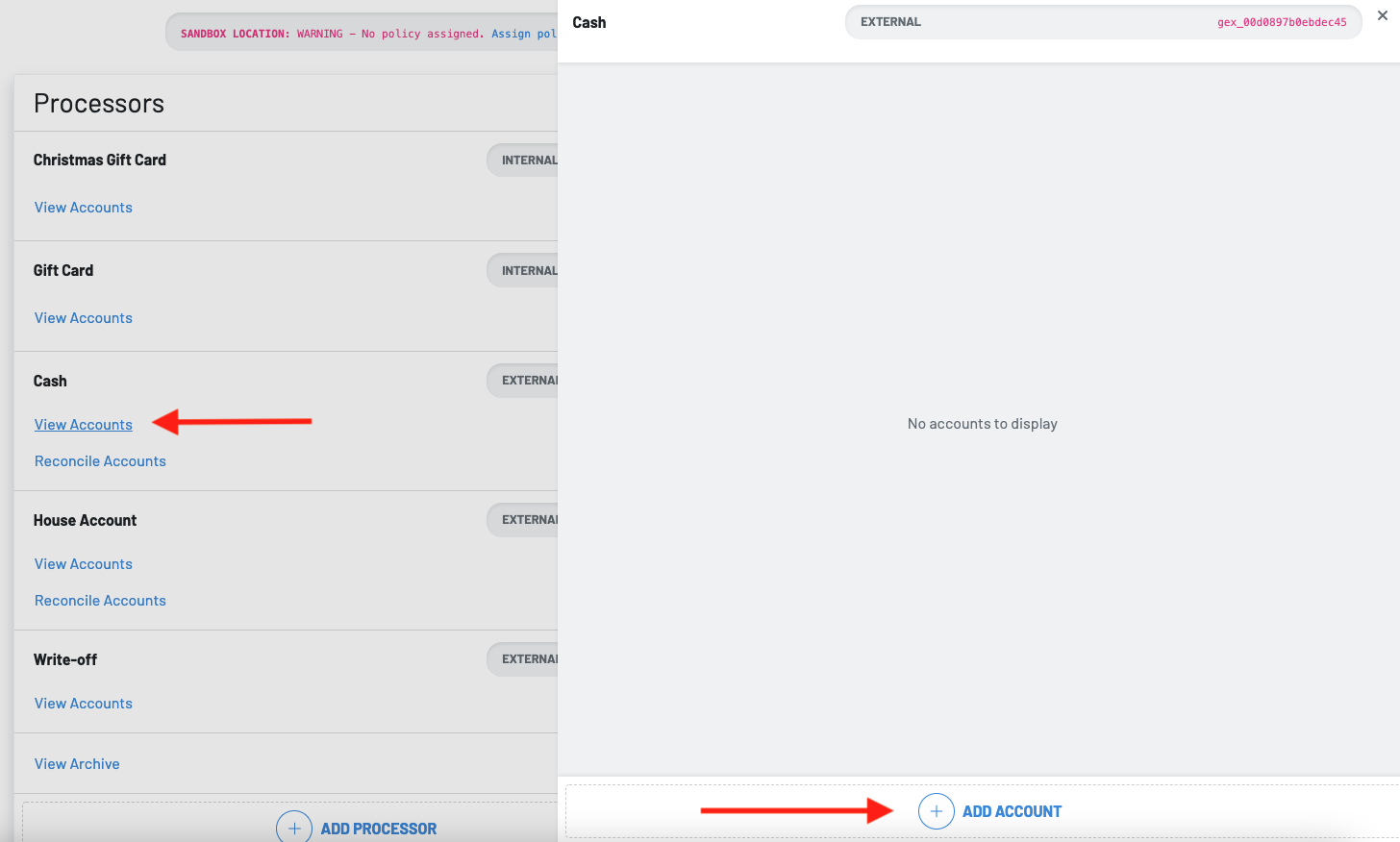
When you press add account, you will need to input the following information:
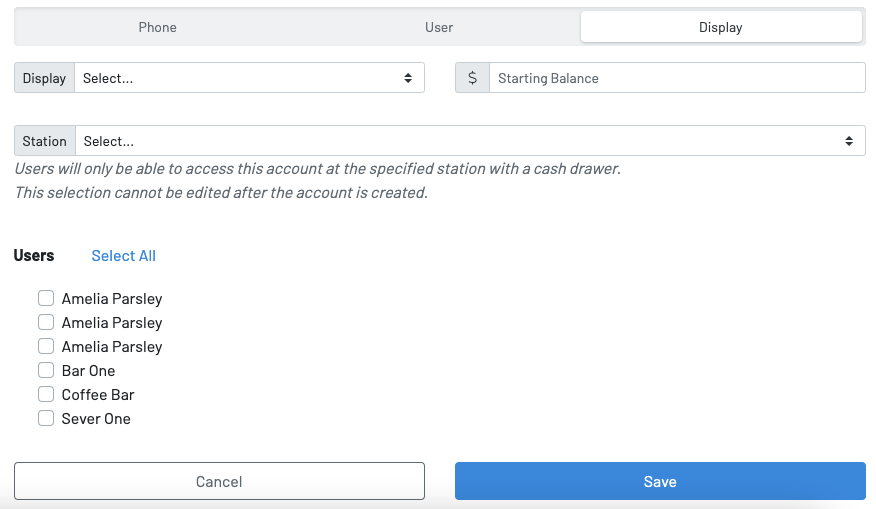
- Select the display
- Starting balance
- Choose the station
- Select the users who will have access to the cash account
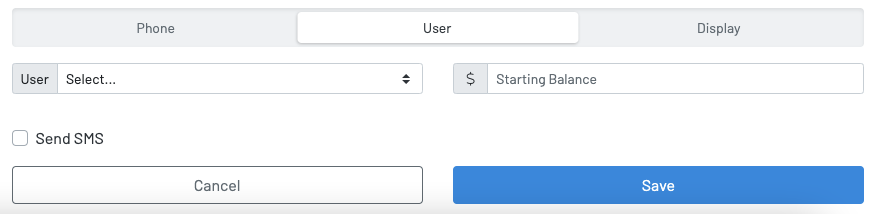
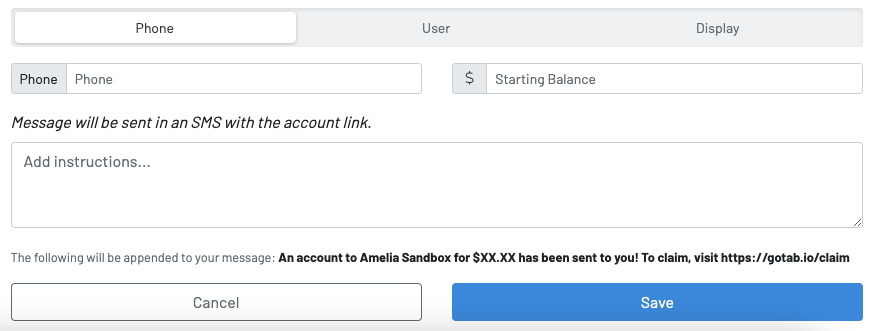
You can also set up cash accounts by individual user or phone: