
End User Experience: How to Open a Tab
By opening a tab, the customer only has to pay once while adding new items seamlessly, saving on credit card processing fees.
Open tabs, closing tabs, & leaving tabs open
Section titled “Open tabs, closing tabs, & leaving tabs open”By opening a tab the customer only has to pay once, while adding new items to their tab seamlessly, and only pay taxes and fees a single time. Meanwhile the location saves money on credit card processing.
The following screenshot is an example of what your “review tab” might look like after you have browsed the menu and added items to your cart:
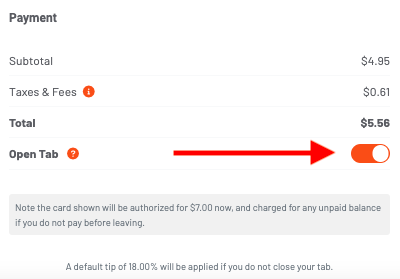 As you can see there is a toggle button at the bottom of your screen, just above your payment method. This button will keep your tab open and allow you to continue placing orders at this location on a single open tab.