
Option Group Tagging
Tag specific options for cart rules
What is Option Group Tagging?
Option Group tagging is a powerful enhancement that gives you precise control over how cart rules apply at the item-level and the option level. Whether you’re running taproom specials, offering size-based pricing incentives or building more nuanced menu logic, this update helps you deliver the exact experience you intend—automatically.
_Note: Option Group Tagging is enabled for locations that have already migrated to the newest version of Option Groups. If your venue hasn’t transitioned yet, reach out to your GoTab representative to get onboarded. _
How Option Group Tagging Works
Here’s a real example of how option group tagging works:
You want to give $1 off pints of an IPA—but only the pint size, not the half-pint or the growler. With Option Group Tagging, it’s easy:
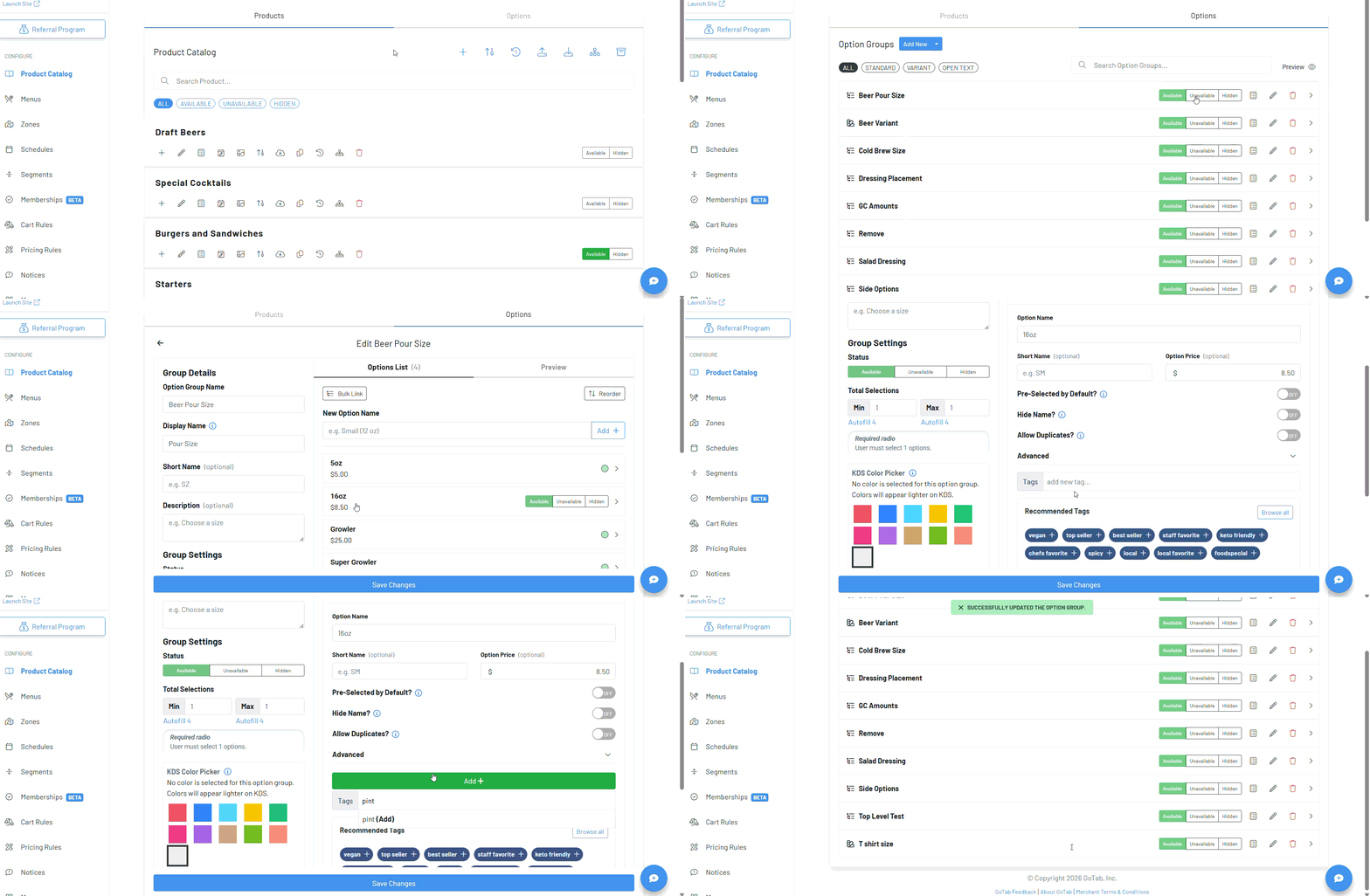
Step 1: Assign a tag (like “pint”) to the specific option within the option group. — Edit your existing option group
- Click on the option you want to tag to drop down the additional configuration fields
- Click “Advanced” and enter the tag you wish to use
- Leave other options untagged, such as half-pint, growler, etc.
- Save your changes Step 2: Create your cart rule (e.g., “$1 Off Pints”) using the tag you just assigned to the option (see here for steps to set up this type of cart rule) Step 3: When a guest selects a pint, the cart rule automatically applies. If a team member changes it to a different size, the discount instantly disappears—no need for extra buttons, overrides, or reminders. When the IPA is added at the POS, your staff is prompted to pick a size. If “pint” is selected, the system recognizes the tagged option and applies the discount. If “half-pint” is selected instead, the discount is removed automatically. It’s dynamic, accurate, and completely customizable.