
How To Update Availability of a Product through the Manager Dashboard
In your GoTab Manager Dashboard, KDS, or POS you can hide or mark an item unavailable in case you run out of stock.
In your GoTab Manager Dashboard, KDS, or POS you can hide or mark an item unavailable in case you run out of stock.
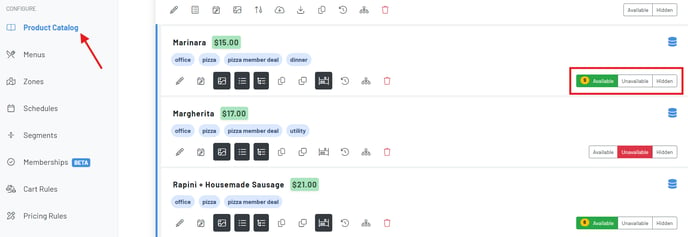
You can go one step further and use our bulk edit options feature to update the availability of your product modifiers.
Click the “fry” icon on the top right of the product catalog.
Bulk Edit Options
Choose “Options Availability” which allows you to easily mark your modifiers Available, Unavailable, or Hidden. You can scroll or search for a modifier here.
To learn how to do this on your KDS, click here.
*When stock levels hit 0, the product will be temporarily disabled. Whether automatically or manually marked unavailable, the product will be automatically re-enabled the following day. You can adjust this setting under Location Settings > Edit > Re-enable Unavailable Products Overnight is turned ON/OFF