Product Updates (10/24/24)
UI Update
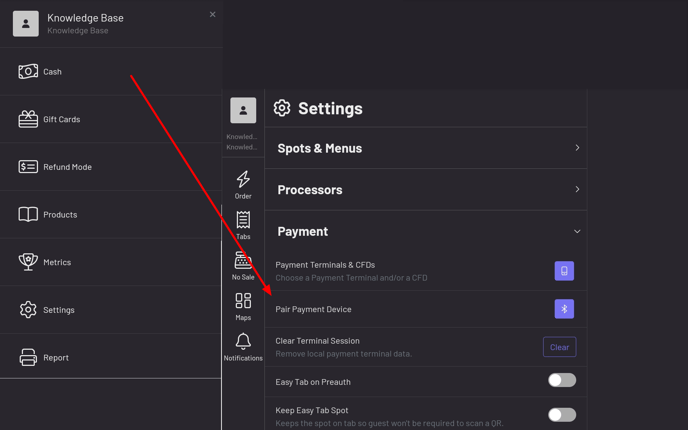
Section titled “UI Update”The Pair Payment Device button for NYC1 pairing has moved to More—Settings—Payment in the POS.
 .jpg?width=688&height=430&name=Screenshot_20241024_113115_GoTab%20(1).jpg)
Product Highlights
Section titled “Product Highlights”POS Item Fulfillment Status
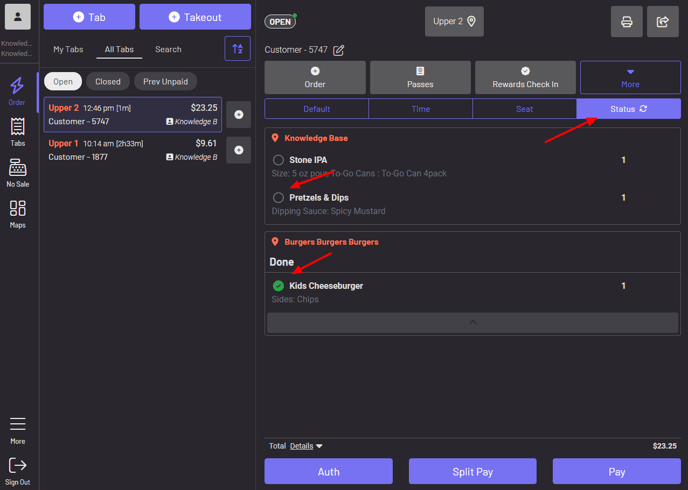
Save time and unnecessary trips to the kitchen to find out if items on a tab are ready by utilizing the Status view on a tab. Click here for more information.
 Guest Pay Updates
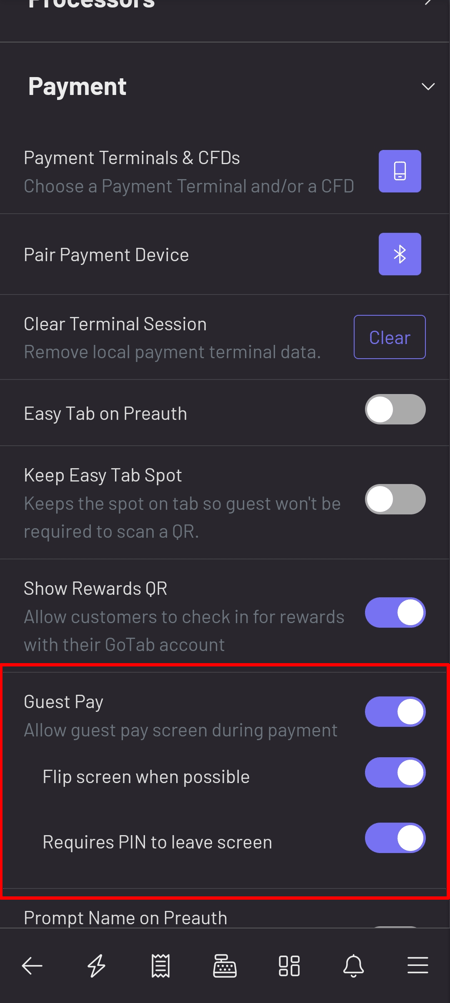
You can now turn off automatic screen rotation and PIN requirement to re-enter the POS after exiting Guest Pay. Navigate to More—Settings—Payment in your POS to adjust your Guest Pay preferences. Click here for more information on Guest Pay.
Guest Pay Updates
You can now turn off automatic screen rotation and PIN requirement to re-enter the POS after exiting Guest Pay. Navigate to More—Settings—Payment in your POS to adjust your Guest Pay preferences. Click here for more information on Guest Pay.
 -1.jpg?width=450&height=1003&name=Screenshot_20241024_122039_GoTab%20(1)-1.jpg)
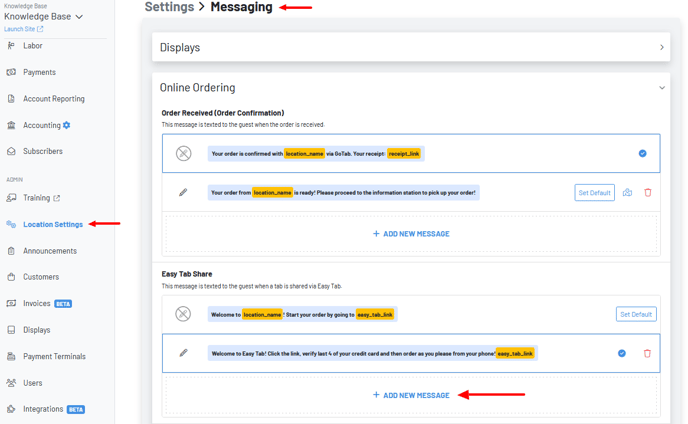
More messaging, including Easy tab, is now customizable! Navigate to Location Settings—Messaging—Online Ordering in your GoTab Manager Dashboard. Click here for more information on messaging.
-1.jpg?width=450&height=1003&name=Screenshot_20241024_122039_GoTab%20(1)-1.jpg)
More messaging, including Easy tab, is now customizable! Navigate to Location Settings—Messaging—Online Ordering in your GoTab Manager Dashboard. Click here for more information on messaging.